ORACLE DBA COMMANDS
1. USERADD :
useradd is a command in Linux that is used to add user accounts to your system. It makes changes to the following files:
- /etc/passwd
- /etc/shadow
- /etc/group
- /etc/gshadow
- creates a directory for new user in /home
[root@sdbt ~]# useradd tesdbuser

[root@sdbt ~]# cat /etc/passwd
root:x:0:0:root:/root:/bin/bash

bin:x:1:1:bin:/bin:/sbin/nologin
daemon:x:2:2:daemon:/sbin:/sbin/nologin
adm:x:3:4:adm:/var/adm:/sbin/nologin
lp:x:4:7:lp:/var/spool/lpd:/sbin/nologin

sync:x:5:0:sync:/sbin:/bin/sync
shutdown:x:6:0:shutdown:/sbin:/sbin/shutdown
halt:x:7:0:halt:/sbin:/sbin/halt

mail:x:8:12:mail:/var/spool/mail:/sbin/nologin
smmsp:x:51:51::/var/spool/mqueue:/sbin/nologin
tesdbuser:x:54322:54335::/home/tesdbuser:/bin/bash

[root@sdbt ~]# cd /home
[root@sdbt home]# ll
total 4

drwx------.  3 tesdbuser     54331   92 Jun 29 16:44 krish
drwx------. 22 oracle    oinstall  4096 Oct 18 16:50 oracle
drwx------.  3 pgbouncer pgbouncer   92 May 26 14:37 pgbouncer
drwx------.  3 sdbt      sdbt        78 Mar  1  2022 sdbt
drwx------.  3 tesdbuser tesdbuser   92 Oct 20 17:46 tesdbuser
Creating user with comment :
[root@sdbt home]# useradd -c "this is a test user" test_user
[root@sdbt home]# cat /etc/passwd|grep test_user
test_user:x:54323:54336:this is a test user:/home/test_user:/bin/bash
Creating user with expiry date:
[root@sdbt home]# useradd -e 2023-11-30 test_user1
[root@sdbt home]# cat /etc/passwd|grep test_user1
test_user1:x:54324:54337::/home/test_user1:/bin/bash
[root@sdbt home]# chage -l test_user1

Last password change					: Oct 20, 2023
Password expires					: never
Password inactive					: never
Account expires						: Nov 30, 2023
Minimum number of days between password change		: 0
Maximum number of days between password change		: 99999
Number of days of warning before password expires	: 7
Creating user to a particular group:
[root@sdbt home]# useradd -g 0 test_user2
[root@sdbt home]# id test_user2
uid=54325(test_user2) gid=0(root) groups=0(root)
[root@sdbt home]#
2. USERMOD :
usermod command or modify user is a command in Linux that is used to change the properties of a user in Linux through the command line.
After creating a user we have to sometimes change their attributes like password or login directory etc. so in order to do that we use the Usermod command.
usermod command needs to be executed only as a root user.
2.1 To add a comment for a user
[root@sdbt home]# usermod -c "this is test user" test_user2
[root@sdbt home]# cat /etc/passwd|grep test_user2
test_user2:x:54325:0:this is test user:/home/test_user2:/bin/bash
2.2 To change the expiry date of a user
[root@sdbt home]# usermod -e 2023-12-31 test_user2
[root@sdbt home]# chage -l test_user2

Last password change		: Oct 20, 2023
Password expires		: never
Password inactive		: never

Account expires	                                	: Dec 31, 2023
Minimum number of days between password change		: 0
Maximum number of days between password change		: 99999
Number of days of warning before password expires	: 7
2.3 To change user login name
[root@sdbt ~]# cat /etc/passwd|grep test_user2
test_user2:x:54325:0:this is test user:/home/test_user2:/bin/bash

You have new mail in /var/spool/mail/root
[root@sdbt ~]# usermod -l test_user3 test_user2
usermod: warning: /var/spool/mail/test_user2 not owned by test_user2

[root@sdbt ~]# cat /etc/passwd|grep test_user3
test_user3:x:54325:0:this is test user:/home/test_user2:/bin/bash
[root@sdbt ~]#
3. USERDEL:
userdel command in Linux system is used to delete a user account and related files.
userdel -f: This option forces the removal of the specified user account. It doesn’t matter that the user is still logged in. It also forces the userdel to remove
the user’s home directory and mail spool, even if another user is using the same home directory or even if the mail spool is not owned by the specified user.
userdel -r: Whenever we are deleting a user using this option then the files in the user’s home directory will be removed along with the home directory itself and the user’s mail spool.
[root@sdbt ~]# cat /etc/passwd|grep test_user1
test_user1:x:54324:54337::/home/test_user1:/bin/bash
[root@sdbt ~]# userdel -r test_user1
[root@sdbt ~]# cat /etc/passwd|grep test_user1
[root@sdbt ~]#
4. CHOWN -R:
This option is used to apply the changes recursively.
[root@sdbt ~]# cd tesdb
[root@sdbt tesdb]# ll
total 0
[root@sdbt tesdb]# touch test1
[root@sdbt tesdb]# ll
total 0
-rw-r--r--. 1 root root 0 Oct 21 11:04 test1
[root@sdbt tesdb]# chown -R oracle:oinstall test1
[root@sdbt tesdb]# ll
total 0

-rw-r--r--. 1 oracle oinstall 0 Oct 21 11:04 test1
[root@sdbt tesdb]#
5. CHGRP:
The `chgrp` command in Linux is used to change the group ownership of a file or directory.
Changing Group Ownership of a Single File
[root@sdbt ~]# ls -lrt|grep test_file
-rw-r--r--. 1 root root       0 Oct 25 12:18 test_file
[root@sdbt ~]# chgrp oinstall test_file
[root@sdbt ~]# ls -lrt|grep test_file
-rw-r--r--. 1 root oinstall       0 Oct 25 12:18 test_file
[root@sdbt ~]#
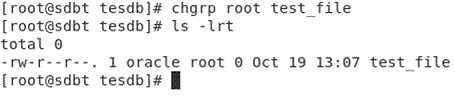
Changing Group Ownership of Multiple Files
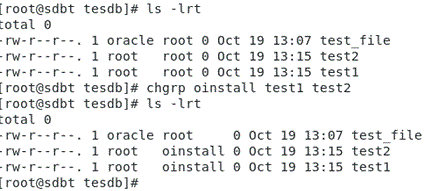
[root@sdbt tesdb]# ls -lrt
total 0
-rw-r--r--. 1 oracle oinstall 0 Oct 21 11:04 test1
-rw-r--r--. 1 oracle oinstall 0 Oct 25 12:37 test2
[root@sdbt tesdb]# chgrp root test1 test2
[root@sdbt tesdb]# ls -lrt
total 0
-rw-r--r--. 1 oracle root 0 Oct 21 11:04 test1
-rw-r--r--. 1 oracle root 0 Oct 25 12:37 test2
[root@sdbt tesdb]#
Using the groupname of a reference file
[root@sdbt tesdb]# ls -lrt
total 0

-rw-r--r--. 1 oracle oinstall 0 Oct 21 11:04 test1
-rw-r--r--. 1 oracle oinstall 0 Oct 25 12:37 test2
-rw-r--r--. 1 root   root     0 Oct 25 12:41 test3
[root@sdbt tesdb]# chgrp -R --reference=test3 test1 test2
[root@sdbt tesdb]# ls -lrt
total 0

-rw-r--r--. 1 oracle root 0 Oct 21 11:04 test1
-rw-r--r--. 1 oracle root 0 Oct 25 12:37 test2
-rw-r--r--. 1 root   root 0 Oct 25 12:41 test3
[root@sdbt tesdb]#
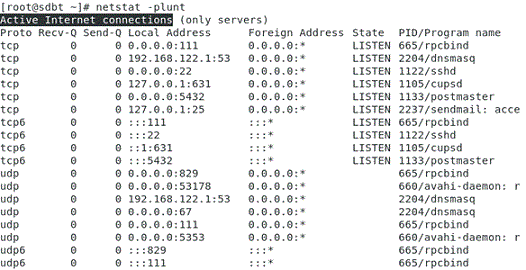
6. NETSTAT -PLUNT :
will show the Active Internet connections along with port number
[root@sdbt tesdb]# netstat -plunt
Active Internet connections (only servers)
Proto Recv-Q Send-Q Local Address           Foreign Address         State       PID/Program name
tcp        0      0 192.168.122.1:53        0.0.0.0:*               LISTEN      1722/dnsmasq
tcp        0      0 0.0.0.0:22              0.0.0.0:*               LISTEN      1132/sshd
tcp        0      0 127.0.0.1:631           0.0.0.0:*               LISTEN      1114/cupsd
tcp        0      0 0.0.0.0:5432            0.0.0.0:*               LISTEN      1146/postmaster
tcp        0      0 127.0.0.1:25            0.0.0.0:*               LISTEN      1838/sendmail: acce
tcp        0      0 0.0.0.0:111             0.0.0.0:*               LISTEN      667/rpcbind
tcp6       0      0 :::22                   :::*                    LISTEN      1132/sshd
tcp6       0      0 ::1:631                 :::*                    LISTEN      1114/cupsd
tcp6       0      0 :::5432                 :::*                    LISTEN      1146/postmaster
tcp6       0      0 :::111                  :::*                    LISTEN      667/rpcbind
udp        0      0 192.168.122.1:53        0.0.0.0:*                           1722/dnsmasq
udp        0      0 0.0.0.0:67              0.0.0.0:*                           1722/dnsmasq
udp        0      0 0.0.0.0:111             0.0.0.0:*                           667/rpcbind
udp        0      0 0.0.0.0:5353            0.0.0.0:*                           732/avahi-daemon: r
udp        0      0 0.0.0.0:840             0.0.0.0:*                           667/rpcbind
udp        0      0 0.0.0.0:26548           0.0.0.0:*                           732/avahi-daemon: r
udp6       0      0 :::111                  :::*                                667/rpcbind
udp6       0      0 :::840                  :::*                                667/rpcbind
[root@sdbt tesdb]#